











GuardNest: Release 3.4 Functionality
Every update to GuardNest is driven by a simple goal: helping security teams spend less time managing their tools and more time reducing risk. As the threat landscape changes, we are committed to evolving GuardNest to be a tool in your security arsenal.
For this release we've invested across the platform to make GuardNest faster, more intuitive, and more powerful - from improving the way Continuous Scanning surfaces critical information, to introducing entirely new capabilities like Attack Surface Management. Alongside these technical enhancements, we've refined the user experience to remove friction, simplify workflows, and give every user greater control over how they interact with the platform.
Together, these improvements reflect our ongoing commitment to building a security platform that works the way modern teams do.
Already live: Continuous Scanning
A clearer view of what's running on your systems
Scans now identify open ports and the services running behind them
All findings are collected into one tidy list per system, rather than scattered across separate entries
Gives you a simple, readable inventory of visible ports and services
Schedule scans in your own timezone
Choose the timezone a scan runs in, so scans start when you expect them to
Timezone options come directly from the scanner, so they are always accurate
Scans no longer fail because the scanner is busy
Your scan is saved immediately and set up in the background
If the scanner is briefly unavailable, we retry automatically
Fewer confusing error messages
Fixed an issue that could leave a scan's status out of date
Replaced technical error messages with plain English explanations
Launching 12 August
Updated Look
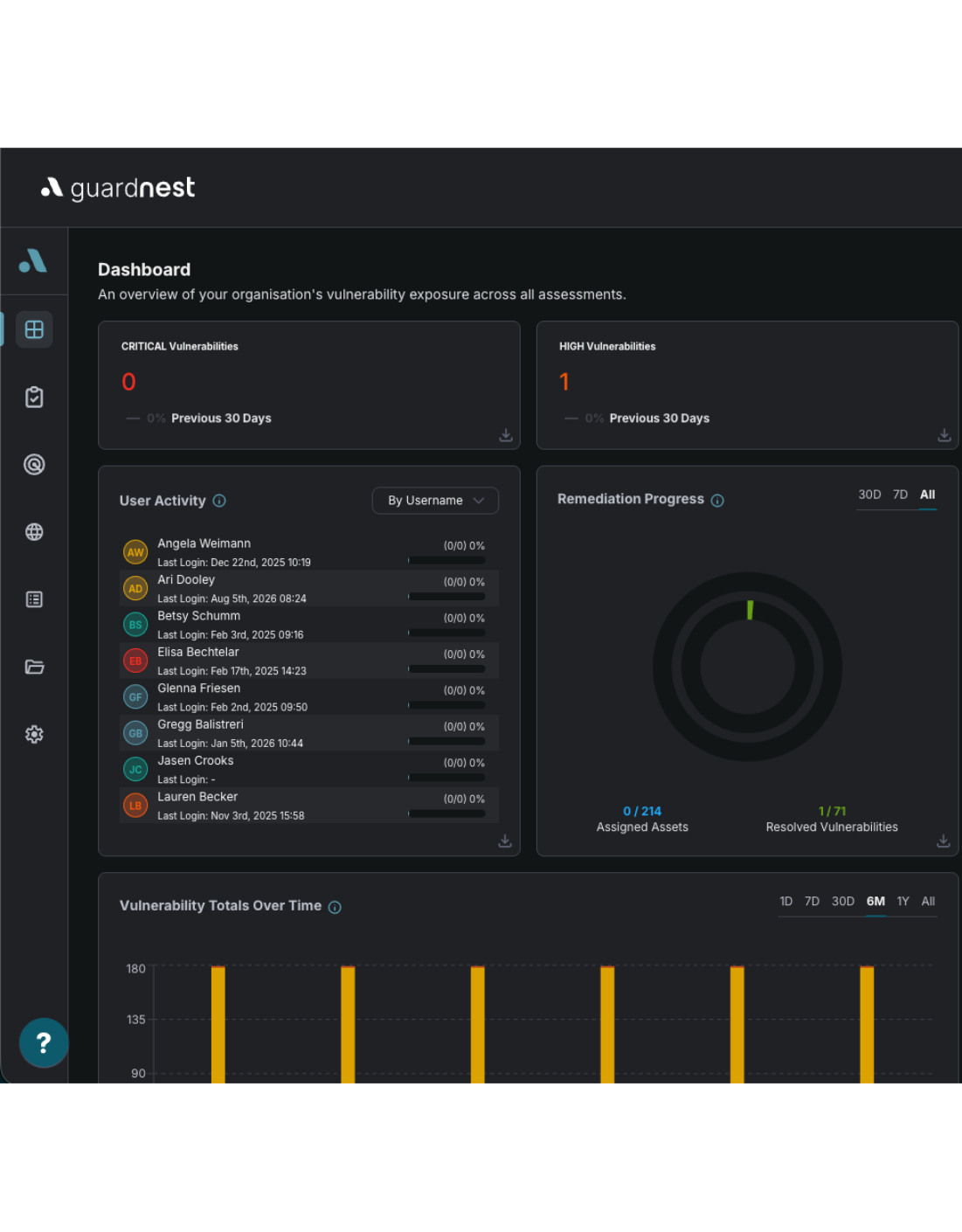
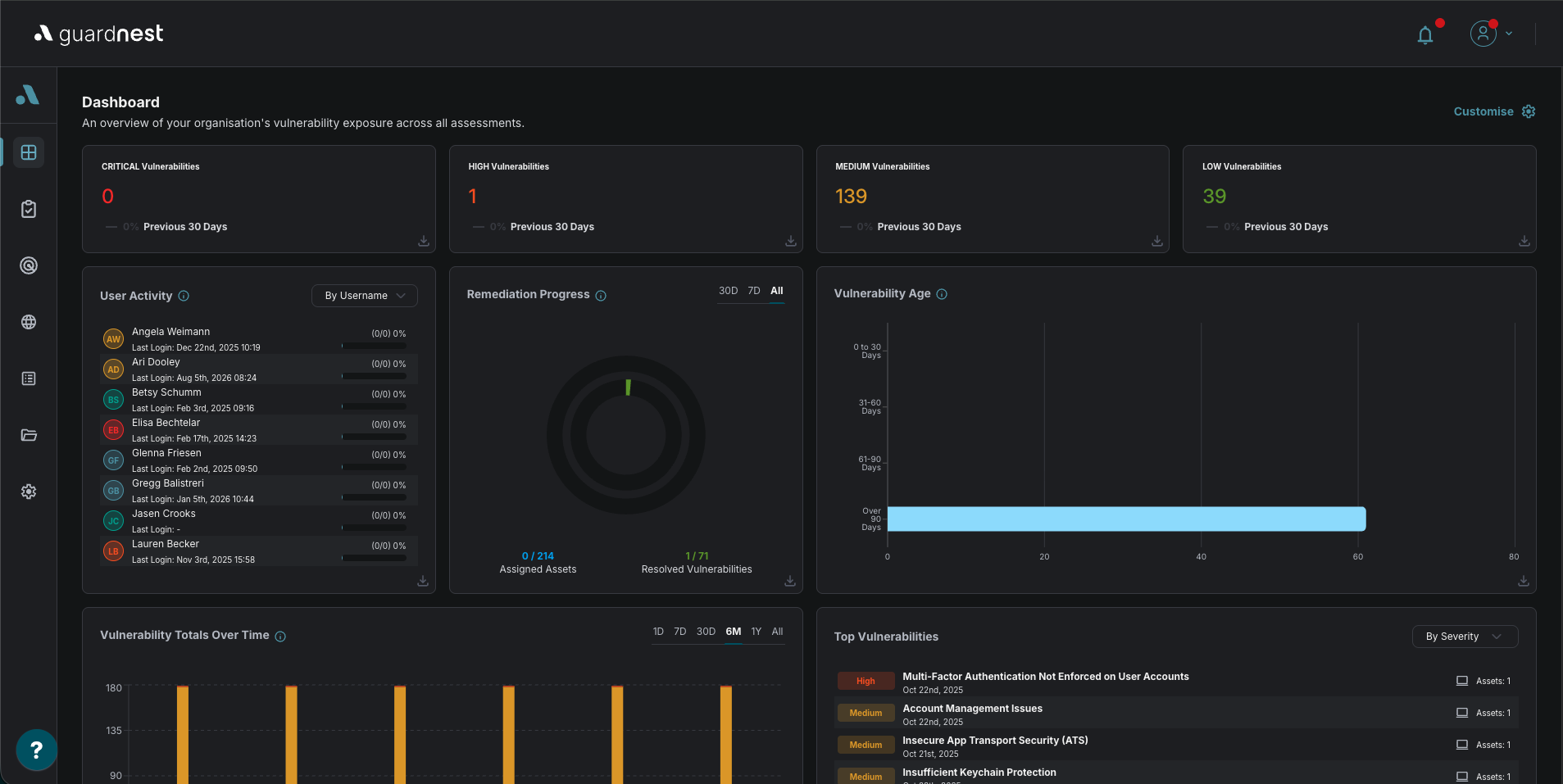
The redesign is now live across the whole platform.
You saw the first version of it when Continuous Scanning shipped. That release was the test run. We took one area of GuardNest, rebuilt the interface, and put it in front of real usage rather than internal opinion. The point was to find out what worked before committing every other screen to it. It worked, and the feedback we got shaped what has rolled out today.
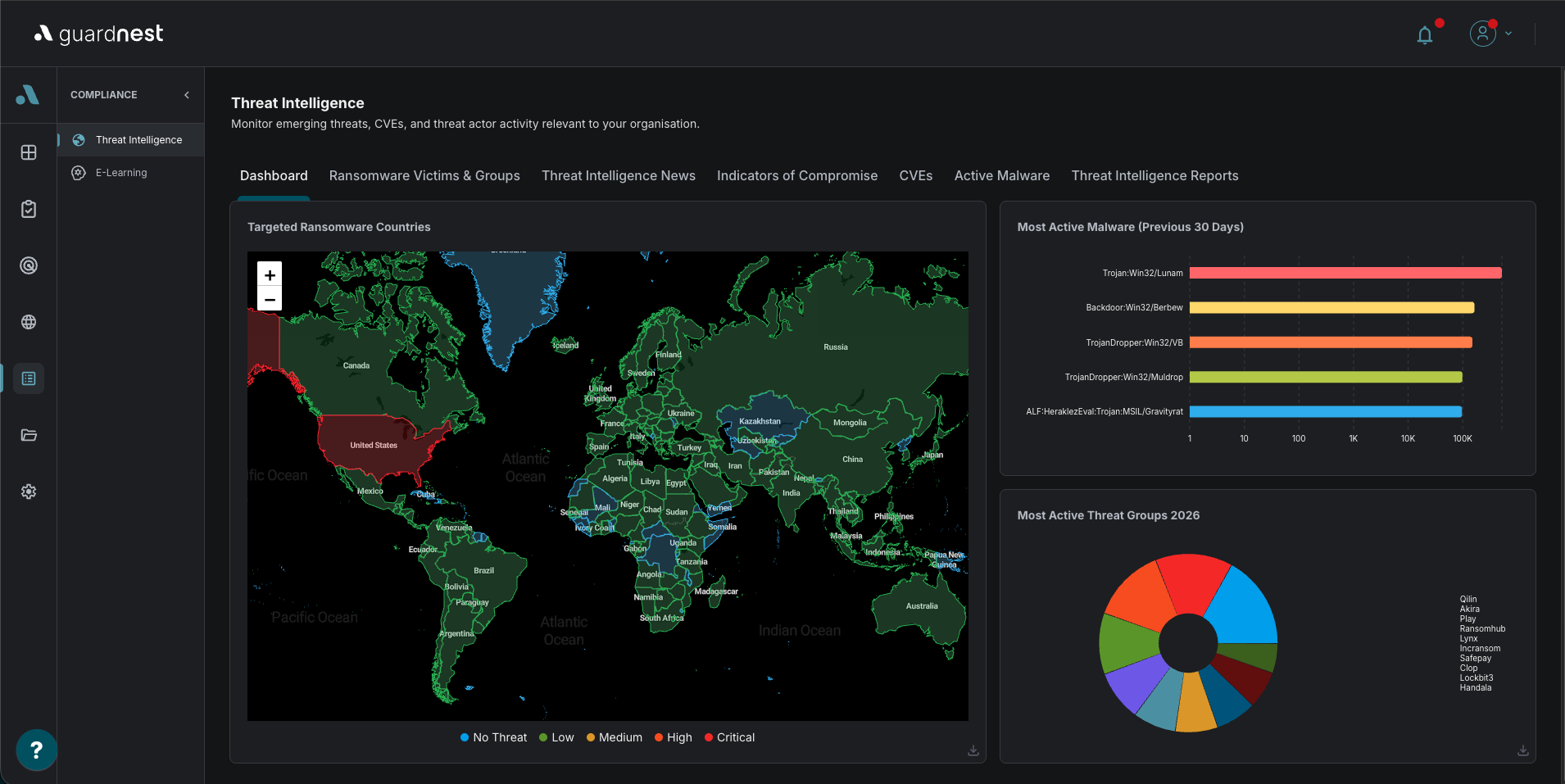
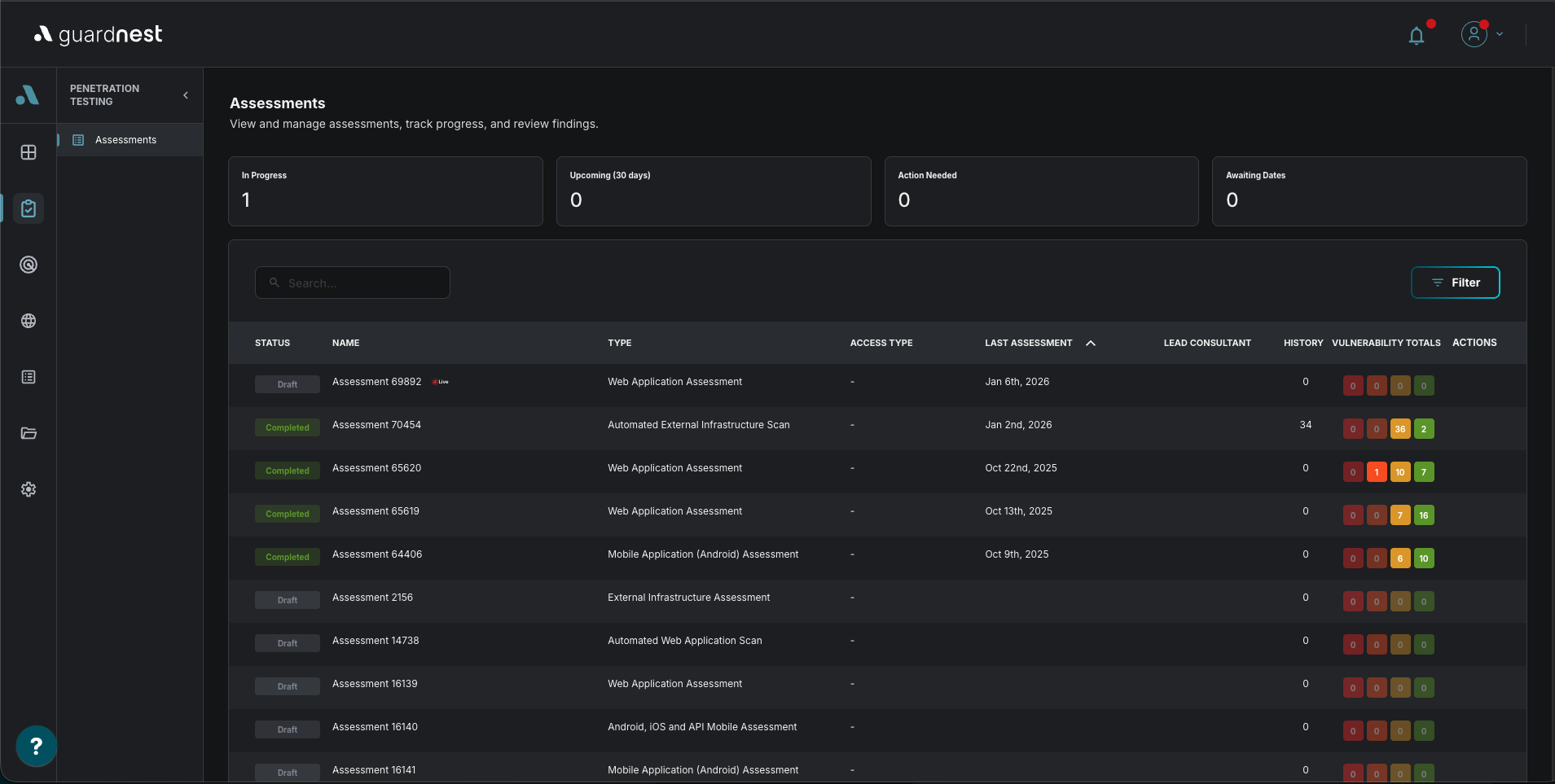
Consistency across every screen. Structure, navigation and visual language are now the same wherever you are. Moving between vulnerability findings, scan results, threat intelligence and e-learning no longer means relearning where things live.
A refined colour palette. Colour is now consistent across every module, so the same thing looks the same wherever you meet it. We have improved how clearly colours differentiate from one another, particularly where severity is being communicated, and adjusted tones so pages are quicker to skim.
More room on the page. Denser screens have been given space, so the information you need is easier to pick out of the information you do not.
The three headings will need bolding or a heading style in whatever you paste this into, since plain text drops the emphasis and they read as sentence fragments without it.
User Specific Notification Settings
You can now choose which email notifications you receive, rather than being tied to whatever is switched on for your whole company.
A new Email Preferences tab is available under Profile. Notifications are grouped by area (Manual Assessment, Continuous Scanning, Proposals and MSAs, Questionnaires, Vulnerabilities, Users, Files and General), and each one has its own toggle. Changes save as soon as you flip a switch, so there is nothing extra to submit.
- You only see notifications that apply to your company's modules, so the list stays relevant.
- Anything you have not set yourself keeps the existing default, so you do not need to configure the whole list to get started.
- Your personal choice always takes priority over the role and company defaults, so turning something off here keeps it off for you without affecting your colleagues.
Administrators can also manage preferences on a user's behalf. On the Users list, the bell icon next to an external user opens Email Notification Preferences for that person, which is useful when someone asks to be taken off a specific alert.
Launching 19 August
Attack Surface Management
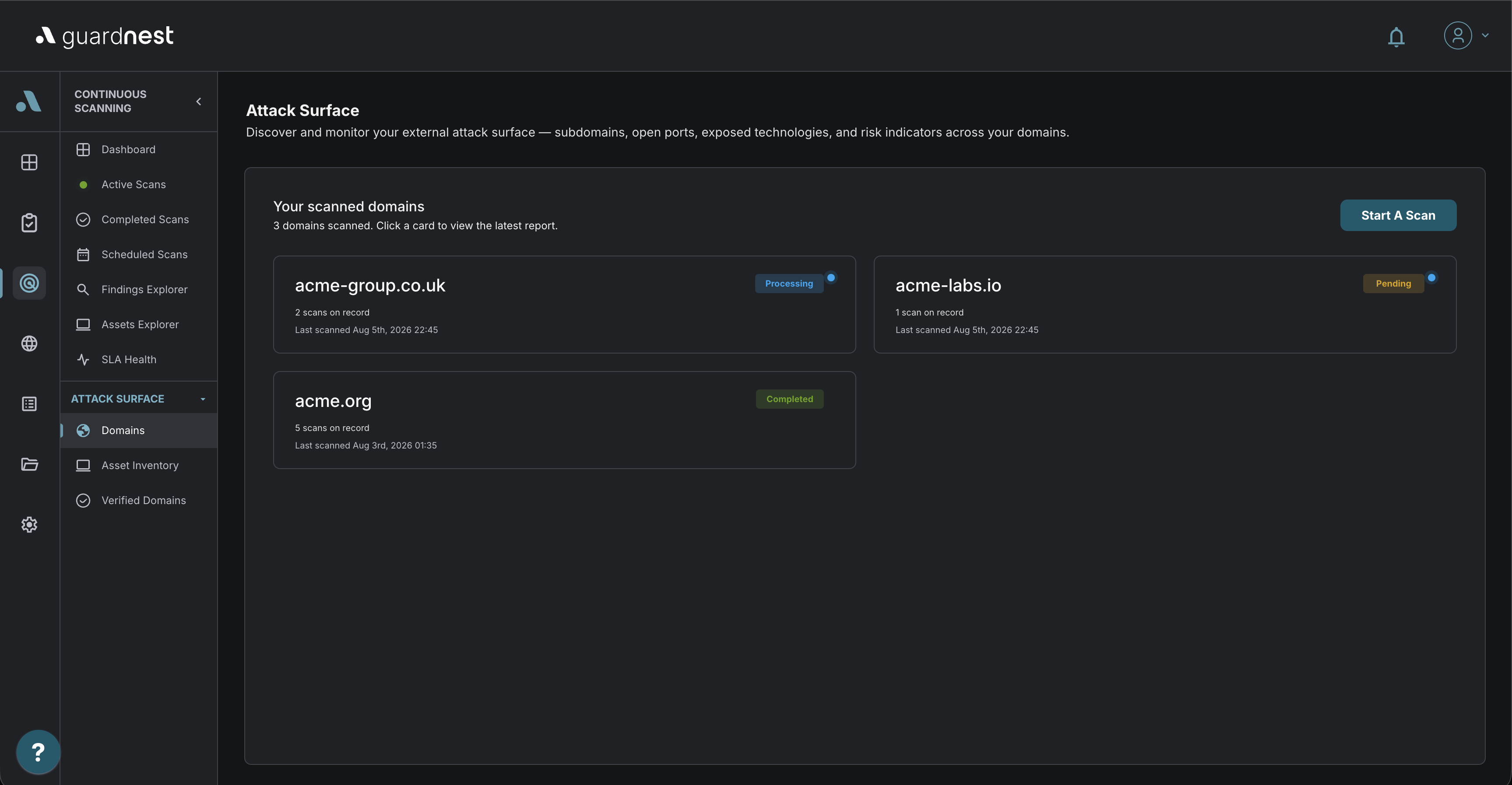
Most organisations cannot produce an accurate list of what they have exposed to the internet. Not because nobody is paying attention, but because the list changes without anyone deciding it should. A marketing team spins up a campaign subdomain. A developer leaves a staging environment reachable. An acquisition brings in infrastructure nobody has documented. A certificate on a service everyone forgot about quietly expires.
An attacker does not need your asset register. They enumerate what is reachable and work from that. Attack Surface Management gives you the same view, from the same starting position, and keeps it current.
How it works
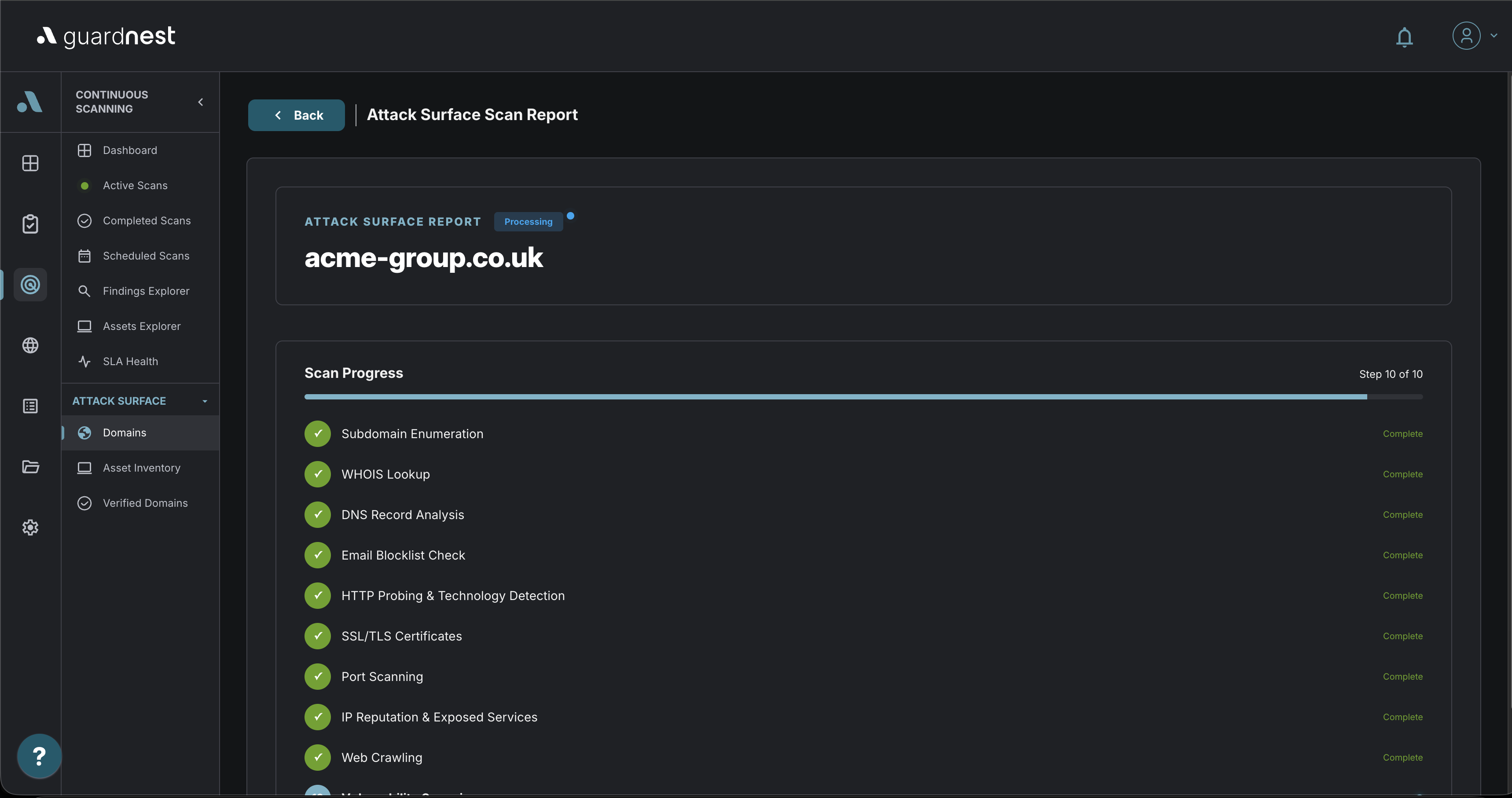
You verify the domains you own. GuardNest runs a reconnaissance pipeline against them on a schedule you set. Each run produces an inventory of what is exposed, a risk score, and a list of what to fix in priority order. The second run onwards also tells you what has changed since the last one, which is usually where the value is.
Verifying a domain
Nothing gets scanned until you have proved you own it. This is deliberate and not negotiable, because unauthorised external reconnaissance against a domain you do not control is a problem for you and for us.
Verified domains are managed from that same page. You can resend a verification email if the original was missed, and revoke a domain if it leaves your estate, which stops it being scanned without deleting the history you have already built up on it.
A scan runs three phases against every verified domain. They are sequenced, because each one feeds the next: you cannot probe services you have not discovered, and you cannot assess threats against technologies you have not fingerprinted.
Discovery: what exists
Subdomain enumeration, WHOIS, DNS record analysis, related-asset discovery, shared-hosting detection and web crawling.
This phase is the one that surprises people. Subdomain enumeration routinely returns hosts that are not in anyone's documentation, and related-asset discovery picks up infrastructure registered to the same organisation that has drifted out of view. Shared-hosting detection matters because an asset you do not control can sit on the same IP as one you do, and its reputation becomes your problem.
Exposure: what is reachable on it
HTTP probing and technology fingerprinting, port scanning, SSL/TLS certificate inspection, homepage screenshots, IP reputation and exposed-service detection.
Knowing a subdomain exists is not the same as knowing what answers on it. This phase establishes which services are listening, what software is running them, whether the certificate is valid and current, and whether the IP has picked up a reputation problem. Homepage screenshots are included because a visual pass over a hundred discovered hosts finds abandoned admin panels and default installation pages faster than reading a table.
Threats: what could be used against you
Vulnerability scanning, breach monitoring, dark web and paste monitoring, email blocklist checks, typosquat detection and brand impersonation monitoring.
The first two checks look at your infrastructure. The rest look at everything sitting outside it that still belongs to you. Credentials from a third-party breach, a domain registered one character away from yours, a mail domain that has landed on a blocklist. None of these show up in an infrastructure scan and all of them are exploitable.
The asset inventory, and what changed
Every scan writes to a running inventory covering subdomains, IPs, ports, technologies and certificates, each carrying a status.
From the second scan onward, GuardNest compares runs and flags three things:
New. Something is exposed that was not exposed last time. Either it was deployed deliberately and nobody told you, or it was not deployed deliberately at all.
Changed. An asset is still there but something about it has moved. A new port answering, a technology version bump, a reissued certificate.
Gone. Something that was reachable no longer is. Usually decommissioning, occasionally an outage you have not noticed yet.
This is the part that rewards running the module continuously rather than once. A single scan is an audit. A sequence of scans is monitoring, and monitoring is what catches the staging environment that went live on a Friday afternoon.
Risk scoring and remediation
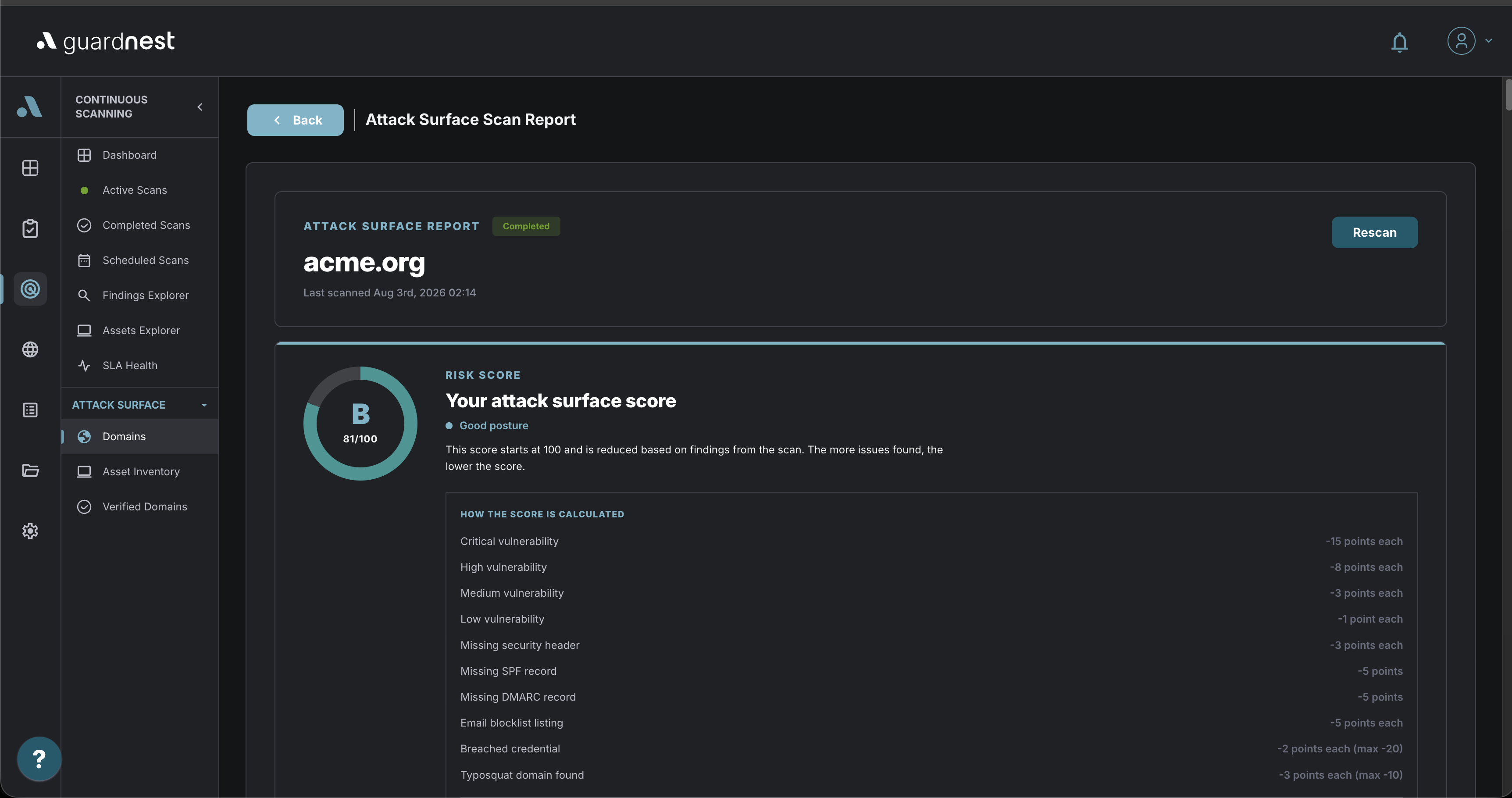
Each scan produces an overall risk score and a security-header grade, so you have a single number to track across runs and something concrete to show at a board or audit conversation.
Findings are mapped to compliance frameworks which means a finding arrives already connected to the control it affects rather than needing to be translated at audit time.
The report
Each scan produces one sectioned report pulling together everything above, plus compliance mapping and a trend view across previous runs. The trend view answers the question the score alone cannot, which is whether your exposure is getting better or worse.
Alerts
Email notifications fire when a scan completes, when a scan fails, and when assets change between scans.
The third one is the alert that earns its place. Completion notices are routine and failure notices are operational, but a change alert is the module telling you something appeared on your perimeter that was not there yesterday.
Where this sits alongside your existing scanning
ASM answers "what do we have exposed". Its job is breadth: find everything reachable, including the assets you did not know about. GuardNest's external vulnerability scanning answers "what is wrong with the things we know about", and it goes deeper on a defined target list.
The two work together in an obvious way. ASM finds assets that were never in scope for scanning because nobody knew to put them there. Those are, reliably, the least well maintained assets you own.
Coming Soon:
We are digitising the Cyber Essentials journey in GuardNest
Certification is about to become part of how you run security, rather than something you stop and prepare for once a year.
We are bringing the full Cyber Essentials journey into GuardNest. The questionnaire, the collaboration, the guidance, the marking, the sign-off and the renewal, all in the platform where your scanning, your assets and your training already live.
A workspace, not a document
The assessment becomes a working area inside the platform rather than a file you pass around.
You will be able to see all five control areas from the moment you start, and work through them in whatever order suits your organisation. Most teams do not answer Cyber Essentials front to back. They answer the questions they can answer now, and come back to the rest when they have chased down the detail.
Progress is visible while you work. Each control area carries its own completion percentage and the assessment carries an overall one, both updating as answers go in. Answers save automatically, so a closed laptop or an expired session does not cost you an afternoon.
When you come back, you return to where you left off.
Built for the way the answers actually get gathered
The single reason CE assessments stall is that no one person knows all the answers. The firewall question belongs to IT. The device policy question belongs to whoever manages joiners and leavers. The person who owns the certification usually owns neither.
You will be able to assign individual questions to colleagues. They receive a notification, they answer their questions, and they can see the rest of the assessment for context without being able to change it. Whoever leads the assessment keeps full control throughout, and anyone who needs to edit something outside their remit can request access rather than going around the process.
You will also be able to comment on individual questions and tag colleagues in the same way you already do elsewhere in GuardNest. The conversation about an answer stays attached to the answer rather than disappearing into an email thread.
Those conversations are visible to your team only.
Guidance where the question is
Official NCSC guidance will sit against each question, alongside guidance written by our own assessors: what a passing answer looks like, the mistakes we see most often, and practical tips from certifying organisations like yours.
This is guidance at the point of the question, not a document you were sent in advance and have not looked at since.
Know where you stand before you submit
As you answer, GuardNest will check your responses against the scheme requirements and tell you whether an answer looks likely to pass, along with written feedback on anything that does not.
Two things this is and is not. It is an early warning, designed to catch the answers that would come back as non-compliant weeks later. It is not the certification decision, which remains with an assessor.
The check reads any context or comments you have added rather than the answer alone, which matters on the questions where the honest answer is "yes, with an exception". It will also flag where an answer contradicts something you said elsewhere in the assessment, which is a common and avoidable cause of a failed application.
Before submitting, you will get a review screen listing every question and its status: complete, flagged for attention, or unanswered. Click any question to go straight to it. You cannot submit with questions unanswered, and where flagged answers remain you will be told before it goes rather than after.
Executive sign-off without the chase
Cyber Essentials requires sign-off from a board-level representative. In practice this is where applications sit for weeks.
You will nominate the person, and they will receive a secure link. They review the submitted answers in a single scrollable list, without needing a GuardNest account or a login to remember. If they are satisfied, they sign. If they are not, they send it back with a comment and the team is notified straight away.
The sign-off is recorded with the date and the signatory, so the evidence exists when an auditor, insurer or customer asks for it.
Your question set stays still
Question sets change between scheme versions. Under the current arrangement, a change mid-assessment means finding out at the wrong moment.
Every assessment is pinned to a specific questionnaire version for its whole life. Once you start, your questions do not change underneath you. When a new version is released, it applies to your next application rather than your current one, and where questions carry across between versions your previous answers come with them.
We are integrating directly with the IASME API for question sets and submission, and with Companies House so your registered details populate themselves.
What this does not change
The scheme is unchanged. The questions are IASME's, the requirements are the NCSC's, and the certification decision belongs to the assessor. What we are changing is the fortnight of administration wrapped around it.
These updates are part of a much broader investment in GuardNest. We're continually expanding the platform with new capabilities, refining existing workflows, and listening to customer feedback to ensure every release delivers meaningful improvements.
If you're already using GuardNest, explore the latest features and see how they can help your team work more efficiently.
Get in touch to arrange a demo and discover how GuardNest can help you simplify security management,
improve visibility, and stay ahead of emerging threats.